How to Use AI for Productivity in 2026 (Tools, Tips & Real Examples)

How to Use AI for Productivity

Productivity & Technology

How to Use AI for Productivity

Most people are using AI wrong. They treat it like a search engine, type one vague question, get a mediocre answer, and walk away thinking it's overhyped. The ones who have genuinely transformed their workday know something different: AI is not a tool you consult, it's a collaborator you work with.

Two years ago, a marketing manager at a mid-size tech company was routinely putting in 11-hour days. Writing proposals, fielding emails, preparing briefs, sitting through brainstorm sessions that went nowhere. Then she started building AI into her daily workflow, not as a novelty, but seriously. Within three months, her output had roughly doubled, and she was leaving the office by 6pm. That story is not unique anymore. It's becoming the norm for anyone willing to move past the hype and get practical.

The shift that's already happening

Work has always rewarded people who could move fast without sacrificing quality. For most of history, that meant hiring more people or pushing yourself harder. AI changed the equation. Now a single person with the right tools can produce the kind of work that used to require a small team, and do it without burning out.

This is not about AI replacing jobs. The smarter way to think about it: AI is absorbing the low-value repetitive parts of your day so you can focus on the high-value thinking that actually moves things forward. The people who will struggle are the ones who resist the shift. The ones who will win are the ones who start building these habits now.

"AI is not a tool you consult. It's a collaborator you work with. The difference in results is enormous."

Where AI actually makes a difference

Here's a quick look at the areas where AI delivers the most immediate, tangible results:

✉️

Email writing

Draft, refine, and tone-match in seconds

✍️

Content creation

Articles, posts, scripts, and copy

📅

Scheduling

Plan, prioritize, and block time smarter

🔍

Research

Synthesize information fast

💡

Brainstorming

Break blocks, generate ideas at scale

📝

Note-taking

Summarize, organize, and retrieve

🎧

Customer support

Handle volume without sacrificing quality

💻

Coding

Write, debug, and explain code faster

Writing emails without the dread

If you send more than 20 emails a day, you already know the drain. Not the important ones. The routine ones. The follow-ups, the polite declines, the meeting confirmations, the status updates. These eat time in a way that's easy to underestimate.

Tools like ChatGPT and Claude AI are genuinely excellent at this. Give them a quick context dump, "I need to follow up with a client who went quiet after our proposal, keep it warm but not pushy," and within seconds you have a draft that you can send with minor edits or none at all. Grammarly works well alongside this, catching tone issues and grammar slips before anything goes out.

Actionable tip

Keep a running "email template" document. When AI drafts something you love, save it. Over time you'll have a personal library of polished templates that take seconds to customize.

Content creation at a pace that used to be impossible

Producing consistent, quality content is one of the hardest things for solo creators and small teams. The blank page problem is real. AI doesn't eliminate the creative work, but it eliminates the stalling.

A practical workflow: use ChatGPT or Claude AI to generate a structured outline. Take that outline and flesh it out yourself, or let the AI draft sections that you then edit and humanize. Use Grammarly to clean up the final pass. What used to take a full afternoon can realistically take two hours, without any drop in quality.

For social media specifically, Google Gemini is worth trying. Its integration with Google Workspace means you can pull from your existing documents and drafts without copying and pasting everything manually.

Scheduling and time management done differently

The classic productivity trap is spending so much time organizing work that you don't have energy left to do it. AI can handle a meaningful chunk of the planning layer.

Notion AI, built into Notion's workspace, is excellent for this. You can describe your week's priorities in plain language and it will help you structure them into a workable plan. It can also pull from your existing notes and projects to surface things you might have forgotten. Pair that with a good AI scheduling assistant and you start each week with a clear picture rather than a vague list of intentions.

Actionable tip

Every Sunday evening, spend 10 minutes with an AI tool (Notion AI or ChatGPT works well) to plan your week. Describe your goals and constraints, and let it suggest a structure. Adjust as needed. You'll start Monday with direction instead of uncertainty.

Research that doesn't swallow your whole afternoon

Research is one of those tasks where effort and output have a notoriously weak relationship. You can spend three hours reading and end up with four bullet points. AI compresses that loop dramatically.

Use Claude AI or ChatGPT to get a solid orientation on any topic fast. Think of it as a knowledgeable colleague who can explain the key points, flag the debates, and point you toward what's actually worth reading. You still need to verify important facts from primary sources, and this is worth repeating: AI can confidently say wrong things, especially on specialized or recent topics. But as a starting point, it saves hours.

Google Gemini has strong web integration and is particularly useful when you need information that's current, pulling from live sources rather than a static knowledge base.

Brainstorming: finally a use for that blank whiteboard

Most people brainstorm poorly, not because they aren't creative, but because brainstorming alone is hard. You tend to cycle through the same three ideas. AI solves this by having no attachment to conventional thinking.

Give Claude AI or ChatGPT a clear problem and ask for 20 ideas, including some unconventional ones. You won't use most of them. But buried in that list will usually be two or three angles you genuinely hadn't considered. That's the value: not replacing your judgment, but expanding your option set before you apply it.

Actionable tip

When brainstorming with AI, always ask it to include at least one "counterintuitive" or "contrarian" idea. These are often the most interesting starting points, even if you end up rejecting them.

Note-taking that actually turns into something useful

The graveyard of productivity is the folder full of notes no one ever reads again. AI is quietly solving this problem.

Notion AI can summarize a long meeting note into three action points. It can organize a sprawling brain dump into structured categories. You can drop in a rough transcript and get a clean summary with next steps highlighted. This alone is worth the price of entry for teams who spend a lot of time in meetings and struggle to convert those conversations into momentum.

Customer support at scale

For anyone running a business, customer support volume is a constant pressure. AI can handle the tier-one load: common questions, order status requests, basic troubleshooting, and routine follow-ups. This frees up the human team for the conversations that actually need human judgment and empathy.

The key is training the AI well. Generic AI responses feel generic. The businesses doing this well have invested time in giving the AI strong context about their products, their tone, and the kinds of edge cases that need escalation. Done properly, response times drop from hours to seconds and customer satisfaction often goes up.

Coding faster, even if you're not a developer

This one surprises people. AI has dramatically lowered the barrier to writing functional code. If you've ever wished you could automate a repetitive spreadsheet task or build a simple internal tool but don't have a developer background, ChatGPT and Claude AI are worth trying.

Describe what you want in plain language. Ask for Python, JavaScript, or whatever fits your context. You'll get working code more often than not. For experienced developers, the gains are just as real: AI is exceptional at explaining unfamiliar codebases, suggesting fixes for bugs, and drafting boilerplate so you can focus on the architecture and logic that actually requires your expertise.

Automation: the compounding win

Every task you automate is a gift you give your future self. AI makes automation accessible to non-technical people in a way it never was before. You can use AI to write automation scripts, design workflows in tools like Zapier or Make, and troubleshoot when things break.

Start small. Find one repetitive task you do weekly, something that's mindless and predictable. Build an automation around it. Once that's running, find the next one. Within a few months you'll have reclaimed hours every week that you can redirect toward work that actually requires you.

"Every task you automate is a gift to your future self. Start with one. Then find the next."

The tools worth knowing

You don't need all of these. Pick one or two that match your workflow and go deep before adding more:

ChatGPT Claude AI Google Gemini Notion AI Grammarly

ChatGPT and Claude AI are the most versatile general-purpose tools. Gemini is strong for Google Workspace users. Notion AI is ideal if you already live in Notion. Grammarly is a polish layer that works on top of everything else.

One honest caveat

AI is genuinely powerful, and it also makes things up with complete confidence. This is the part people skip over because they want everything to be simple. Verify facts before you publish them. Double-check figures before they go into a report. Treat AI output as a strong first draft, not as final truth.

The people who get burned by AI are the ones who outsource their critical thinking entirely. The people who get the most from it are the ones who use it to amplify their thinking, not replace it.

The best time to start was a year ago

The second best time is right now. Pick one task from your week that drains you. Open ChatGPT, Claude AI, or Notion AI, and try handling it differently. You don't need a plan or a certification or a course. You just need to start.

The people who will look back on this period and feel good about it are the ones who treated AI as a collaborator rather than a threat, and got curious before they got left behind.

13 thoughts on “How to Use AI for Productivity in 2026 (Tools, Tips & Real Examples)”

  1. Wonderful beat ! I wish to apprentice while you amend your website, how could i subscribe for
    a blog web site? The account aided me a acceptable deal.
    I had been a little bit acquainted of this your broadcast provided bright clear idea

    Reply
  2. Just wish to say your article is as astonishing.
    The clearness in your post is simply excellent and i can assume you are an expert on this
    subject. Fine with your permission let me to grab your RSS feed
    to keep up to date with forthcoming post. Thanks a million and
    please continue the rewarding work.

    Reply
  3. I am really impressed with your writing skills and also with the layout on your
    weblog. Is this a paid theme or did you modify it
    yourself? Anyway keep up the nice quality writing, it is rare to see a nice blog like
    this one today.

    Reply
  4. You actually make it seem so easy with your presentation but I find this matter
    to be really something that I think I would never understand.
    It seems too complex and extremely broad for me. I’m looking
    forward for your next post, I will try to get the hang of it!

    Reply
  5. I’m extremely impressed with your writing skills and also with the
    layout on your blog. Is this a paid theme or did you modify it yourself?
    Either way keep up the excellent quality writing, it’s rare to see a great blog like
    this one nowadays.

    Reply
  6. Hi there would you mind stating which blog platform you’re working with?
    I’m going to start my own blog in the near future but I’m having
    a hard time making a decision between BlogEngine/Wordpress/B2evolution and Drupal.
    The reason I ask is because your design seems different then most blogs and I’m looking
    for something unique. P.S Sorry for getting
    off-topic but I had to ask!

    Reply
  7. Hmm it seems like your site ate my first comment (it was super long) so I guess I’ll just sum it up what I submitted
    and say, I’m thoroughly enjoying your blog. I as well am an aspiring blog writer but I’m still new to the whole thing.
    Do you have any tips for beginner blog writers?
    I’d genuinely appreciate it.

    Reply

Leave a Comment

Generative AI for Medical Billing Accuracy: How Smart Technology Is Eliminating Costly Errors

Generative AI improving medical billing accuracy in healthcare

A denied insurance claim may look like a small administrative issue.
In reality, it can delay payments for weeks, frustrate billing staff, and quietly drain thousands of dollars from a medical practice every single month.
And here's what most people don't say out loud:

Most claim denials don't happen because staff are careless. They happen because billing systems are overloaded with constantly changing payer requirements.

According to the American Medical Association (AMA), physicians and their staff spend an average of two business days per week just managing prior authorizations and billing paperwork.

That's time that should be spent on patients.

This is exactly where AI medical billing software powered by generative AI is making a real difference. Not as a buzzword. As a practical tool that catches coding mistakes, flags incomplete documentation, and helps practices get paid faster.

Let's break down how it works and what healthcare organizations need to know before adopting it.

Traditional Billing vs. AI-Powered Billing: A Quick Comparison

📋 Traditional Billing 🤖 AI Powered Billing
Manual code lookup by billing staff Automated ICD-10 and CPT code suggestions
Errors caught after claim denial Errors flagged before submission
Slow appeals process manual drafting AI assisted appeal letters generated in minutes
High denial rates (10 to 15% average) Denial rates reduced by up to 40%
Staff time wasted on repetitive tasks Staff freed to focus on complex cases
Difficult to scale without hiring more staff Scales easily as claim volume grows

What Is Generative AI and What Does It Actually Do in Billing?

Generative AI isn't just automation. It's a type of artificial intelligence that can read, interpret, and generate content based on what it learns from large datasets.

In the context of medical billing automation, that means it can:

  • Read a physician's clinical notes and suggest the correct billing codes
  • Detect missing documentation before a claim goes out
  • Learn payer-specific rules and apply them automatically
  • Draft prior authorization requests and denial appeal letters

Think of it less like a robot and more like a very experienced billing reviewer one that never gets tired, never misses a line, and gets smarter with every claim it processes.

Tools like Optum's AI-powered claims solutions, Athenahealth's billing intelligence platform, and Epic Systems' revenue cycle tools are already using this technology at scale across thousands of healthcare organizations.

The Real Cost of Coding Mistakes in Healthcare

Here's something worth understanding before we go further.

Even small billing mistakes can delay payments for weeks. A single wrong digit in an ICD-10 code, a missing modifier, or an undocumented diagnosis can send an entire claim back to square one.

According to CMS (Centers for Medicare & Medicaid Services), improper payments in the U.S. healthcare system totaled over $100 billion in a single year a significant portion tied directly to coding and documentation errors.

For a mid-sized practice, common reimbursement delays stem from:

  • Upcoding or downcoding: Wrong codes that don't match the actual service provided
  • Duplicate submissions: The same claim filed more than once
  • Missing patient data: Incorrect insurance ID, date of birth, or policy number
  • Unbundling: Splitting services that should be billed together
  • No proof of medical necessity: Claims submitted without supporting clinical records

Each reworked claim costs between $25 and $118 to reprocess. For a practice handling 500 claims a month with a 12% denial rate, that's a significant amount of wasted time and money every single month.

Medical billing error statistics and claim denial rates in healthcare

How AI in Healthcare Billing Actually Fixes These Problems

Let's get specific. Here's where AI in healthcare billing makes a measurable difference:

1. It Reads Clinical Notes So Billers Don't Have To

Physicians write notes for clinical clarity not for billing compliance. Those two priorities don't always align.

Generative AI uses Natural Language Processing (NLP) to read unstructured clinical text and extract the correct ICD-10 and CPT codes automatically.

It doesn't just match keywords. It understands context. A fractured wrist treated with a cast gets coded differently than one treated surgically and the AI knows that.

2. It Catches Errors Before Claims Are Submitted

Legacy claim scrubbing tools check formatting. That's it.

AI-powered claim scrubbing goes much further. It cross-references:

  • Payer-specific billing rules
  • Current CMS coding guidelines
  • The actual clinical documentation
  • Prior authorization requirements

The result? Revenue cycle issues get caught at the source not weeks later when a denial letter arrives.

3. It Handles Prior Authorization More Efficiently

Prior authorization is one of the most time-consuming parts of the billing process.

AI tools can predict which procedures will require authorization, flag missing approvals before claims are filed, and even draft the authorization request based on clinical notes reducing the back-and-forth that normally takes days.

4. It Drafts Denial Appeals Fast

When a claim is denied, a billing specialist might spend an hour or more researching the reason and drafting an appeal.

With intelligent billing systems, that process takes minutes. The AI analyzes the denial reason, pulls in relevant documentation, and generates a structured appeal letter ready for review.

AI medical billing automation workflow from clinical notes to claim submission
Z

About the Author

Zanvy Smart Team

The Samplify Editorial Team brings together certified healthcare billing specialists, revenue cycle management (RCM) experts, and AI technology analysts with over 10+ years of combined experience in U.S. healthcare. Our content is thoroughly researched, reviewed for compliance with current CMS guidelines, and written to meet the highest standards of E-E-A-T.

🏥 Medical Billing 🤖 AI in Healthcare 📊 Revenue Cycle Management ✅ CMS Compliant 🔒 HIPAA Certified

3 thoughts on “Generative AI for Medical Billing Accuracy: How Smart Technology Is Eliminating Costly Errors”

Leave a Comment

Learn how to use AI for daily tasks like email, planning, and note taking without adding more work to your routine. Simple tips for beginners.

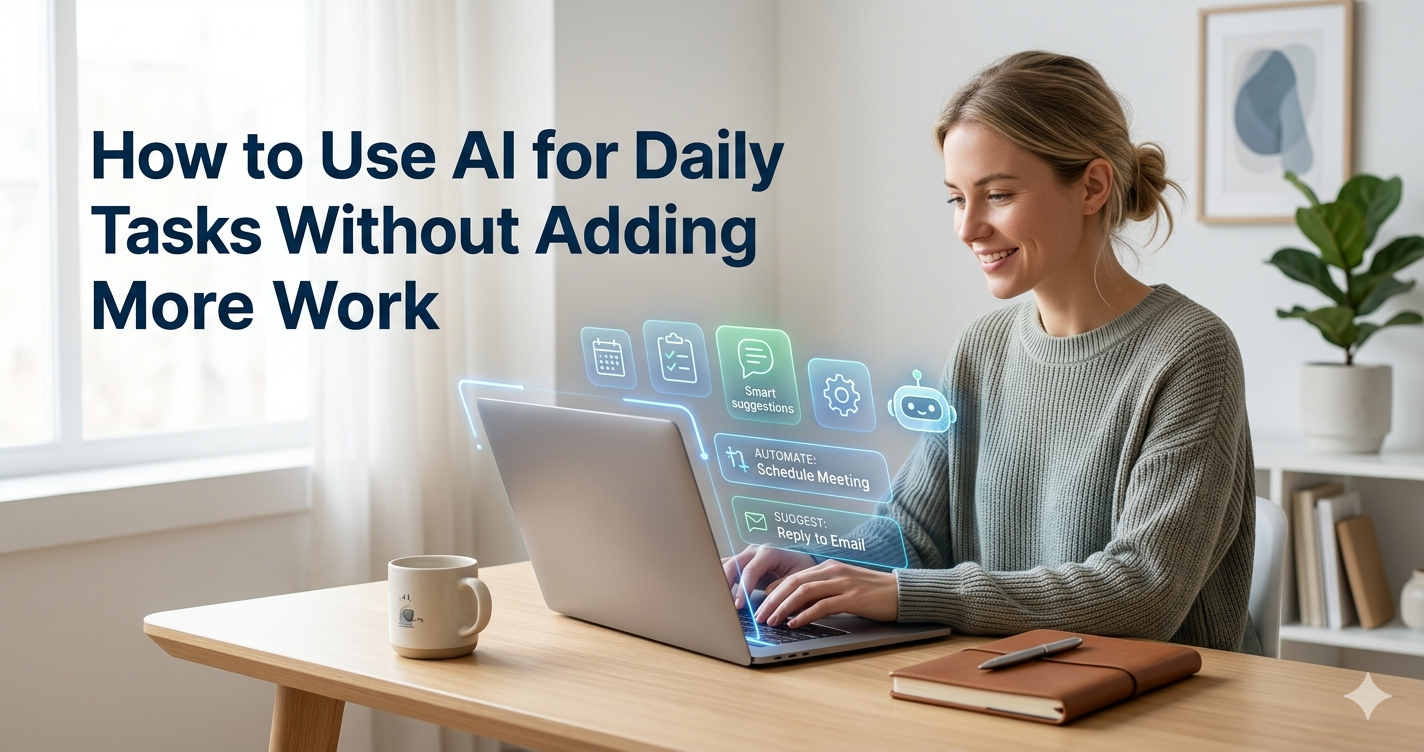
Image of Ai for Daily life

How to Use AI for Daily Tasks Without Adding More Work

If you want to know how to use AI for daily tasks, you are not alone. In 2026, millions of people use AI tools to save time on email, planning, note-taking, and more. The good news is that you do not need to be a tech expert. AI tools like ChatGPT, Gemini, Copilot, Notion AI, Claude AI are designed for everyday people. This guide shows you simple, practical ways to let AI handle the boring parts of your day  so you can focus on what actually matters.
Small tasks steal more time than big projects. A few minutes on email, meal planning, note cleanup, and calendar fixes can quietly eat an hour. In plain language, AI is a set of tools that can help you write, sort, summarize, plan, and suggest next steps.

Use AI for writing, inbox cleanup, and quick summaries

Email is one of the easiest places to start with AI. Most people spend 1 to 2 hours a day on email  and AI can cut that in half.Here is what you can do:•       Ask ChatGPT or Gemini to draft a reply. Just paste the email you received and type:
'Write a polite reply saying I will follow up next week.'
•   Use Grammarly to check your writing. It fixes grammar, tone, and spelling in real time.
•    Use Shortwave (an AI email app) to summarize long email threads in one click.
•    Use Google Workspace AI to suggest replies and organize your inbox automatically.
The key is to stop writing from scratch. Give the AI a starting point, edit it to sound like you, and send.

how to use AI for daily tasks

Use AI for planning your day, calendar, and chores

Planning is another task where AI saves real time. A to do list that falls apart by lunch is a common problem. AI can help fix this.
•       Use Motion or Reclaim.ai  these tools automatically schedule your tasks based on your deadlines and energy levels
.•       Use Google Calendar with Gemini to suggest the best time for meetings and protect your focus hours.
•       Use Cookwise or a simple ChatGPT prompt to plan your weekly meals and grocery list in minutes.

Use AI for planning your day, calendar, and chores

The biggest mistake is adding too many apps at once. If your "productivity system" feels like another chore, it will not last. Start with one tool for thinking and one for scheduling. That is enough for most people
A good daily routine also follows your real energy, not an ideal version of you. Use AI when you are tired, rushed, or staring at too much information. Those are the moments when it saves the most time.
A good daily routine follows your real energy — not an ideal version of it. Use AI when you feel tired, rushed, or low on information. Those are the moments it helps the most.

Use AI to Draft Content in Your Own Voice

The biggest mistake people make is using AI output word-for-word. AI is a starting point, not a final product. Here is the right way to use it for writing:
•  Give ChatGPT or Claude a rough idea: Write a short caption for a photo of        a home office setup. Keep it casual and friendly.
•  Read the output, then rewrite 30 to 40% of it in your own words.
•   Use your real name, opinions, and examples to make it personal. This approach is 3 to 4 times faster than writing from zero  and the result still sounds like you.

Set up one tool for thinking and one tool for scheduling

For most people, a simple two-tool setup works best:
•  One thinking tool — ChatGPT, Gemini, or Claude for writing, research, and ideas.
•       One scheduling tool  Todoist, Notion, or Reclaim.ai for tasks and calendar management. Move your most important tasks into your calendar first. Then plan the smaller tasks around them. You can say to your AI:'Turn this brain dump into today's top three tasks.' That one prompt saves 10 to 15 minutes every morning. 
Prompts do not need to be complex. Simple, clear inputs get the best results.

Create small habits for mornings, work blocks, and evenings

In the morning: Ask AI to sort your priorities. Draft two key messages. This takes five minutes and cuts decision fatigue early.
During work blocks: Use AI as a fast editor or summarizer. Drop in a meeting transcript and ask for key actions or a short summary you can share with your team.
In the evening: Ask AI to review unfinished tasks. Move what still matters to tomorrow's list. You can also build a grocery list from what is left in the fridge — those small habits save more time than any big productivity system.

Use AI wisely so it saves time, not creates new problems

AI can save time. But it can also create extra work if you trust it too much. Here is what to watch out for:
•    A fast wrong answer still wastes time. Always read the output before using it.
•    Do not copy sensitive information into public AI tools. Use private or  business versions of these tools for sensitive work.
•   The best approach is calm and selective. Use AI for support  not blind decisions.

Fact check important details and keep personal data private

AI can sound confident even when it is wrong. It may misquote statistics, swap dates, or add details that look believable but are false. Always verify:
•   Prices, legal terms, medical advice, or financial information before you act on them.
•   Any claim about a specific person, company, or recent event. For privacy: do not paste your ID, salary, passwords, or client data into public AI chat tools. Check the privacy settings of every tool you use. Most reputable AI tools give you control over your data  take five minutes to check.

Choose tools that fit your life, not every new app you see

In 2026, there are hundreds of AI tools. More apps do not mean better results. Many apps solve the same problem. Pick one and use it well. A good rule:
•       If you already use Google tools  start with Gemini. It connects to Gmail, Docs, and Calendar.
•       If you use Microsoft tools  try Microsoft Copilot inside Word, Excel, and Outlook
.•       If you are starting fresh   Notion AI is one of the best all-in-one options for notes, tasks, and writing. Give each tool one week. If it does not save time or reduce mental effort, cut it. It works best when it handles the small stuff  so you stop postponing the things that actually matter.

FAQs

What are the best AI tools for daily tasks in 2026?

Some of the most popular AI tools for everyday use include ChatGPT, Claude, Gemini, and Notion AI. Each one helps with different tasks like writing emails, summarizing notes, planning your day, and answering questions all without needing any technical skills.

Studies suggest that using AI for tasks like email drafting, scheduling, and summarizing can save anywhere from 1 to 3 hours per day, depending on your workflow. Even saving 30 minutes daily adds up to over 180 hours a year

Start small. Pick one task you do every day like writing emails or taking notes  and try using an AI tool for just that. Once you feel comfortable, gradually add more tasks. You don't need to change your whole routine overnight.

Leave a Comment